Haven free beta Data sovereignty

Work together - online, offline, and across organizations.

Haven is a calm, collaborative workspace for notes, files, apps, and data - end-to-end encrypted, on every device, with the complete history of every change.

Missing an app?
Describe it, and the built-in App Builder writes it, publishes it, and installs it for you - no coding required. It all runs on MindooDB, an open-source, local-first sync database you can host in your own jurisdiction; the server only ever sees ciphertext - real data sovereignty, without giving up real-time collaboration.

In the browser Start right away at haven.mindoodb.com, nothing to install. Desktop app For macOS and Windows: local database, works offline. Listen to the Haven intro podcast Complete Haven handbook Build with MindooDB
Why Haven

Five things that set Haven apart

Secure by default
End-to-end encrypted

Client-side keys, no plaintext on the server. Apps only see what you explicitly share. Fine-grained access control governs who can create, change or delete documents - enforced cryptographically, even offline.

Collaborative
Multi-user by design

Automerge-based merges, shared tenants, and a guided onboarding flow for bringing teams in.

Cross-platform
Installable everywhere

Runs as a PWA on iOS, Android, and desktop. Add multiple instances for work, personal, and demos.

Local-first
Works without network

Full local use with built-in backup and flexible push-only, pull-only, or bidirectional sync.

Extensible
Real app platform

Describe the app your team is missing and the App Builder writes, hosts, and installs it - no coding required. Or build it yourself with the MindooDB App SDK.

In practice

From three orgs into one private workspace

When buyer, seller, and counsel work on the same confidential deal, each side keeps its own tenant. Haven brings the shared documents, Q&A, and closing tasks into one workspace - while the server only ever sees ciphertext, and every change becomes a signed node in a tamper-evident DAG.

Diagram showing three corporate parties - Buyer, Seller, and Law Firm - whose data flows through a single arrow into a central Haven workspace tile with a gold lock icon, illustrating cross-tenant collaboration where the server only sees ciphertext
Cross-tenant deal room: Buyer, Seller, and Law Firm each keep their own tenant. The shared documents, Q&A, and tasks live in one private Haven workspace, while the server only ever sees ciphertext.
Three independent tenants - one shared, end-to-end encrypted workspace. Cross-tenant Virtual Views combine each party's data into a single deal dashboard.
MindooDB Haven DAG explorer showing a document's full change graph with branches and a merge, plus a side panel with the materialized state, change author, timestamp, and the JSON of the affected fields
DAG explorer: every change is a signed node. Branches show concurrent edits, merge nodes show how Automerge resolved them - the audit trail every regulator asks for, built in.
Tamper-evident audit trail comes for free: every signed change is a node in the DAG, with author, timestamp, and per-field diff.
New podcast episode
Zero-Trust Collaboration with MindooDB Haven

Two AI hosts · ~23 min · generated by NotebookLM

A relaxed deep-dive into how Haven turns MindooDB into a browser-based workspace: end-to-end encrypted data with keys that never leave your device, local replicas for fast offline work, CRDT-based merging with a tamper-evident change history, strictly separated multi-tenant workspaces, custom apps, and virtual views that combine data across contexts. An entertaining and accessible introduction to the platform.

Download episode
One surface for daily work

Your workspace, your way

Pages, Chicklets, and groups let you arrange databases, applications, notes, web content, and media exactly the way your team thinks. Haven becomes the calm home screen for your encrypted data.

Workspace & Apps →
  • Multiple workspace pages reorderable like tabs, plus a Start page for a full overview.
  • Draggable, resizable tiles for databases, apps, notes, web, media, and Mermaid diagrams.
  • Search by database, tenant, tag, or server so nothing gets lost.
  • Database browser with CRUD, revision compare, and drag-and-drop file attachments.
  • Rich file preview for Office, images, audio, and video - MP4 even transmuxed on the fly.
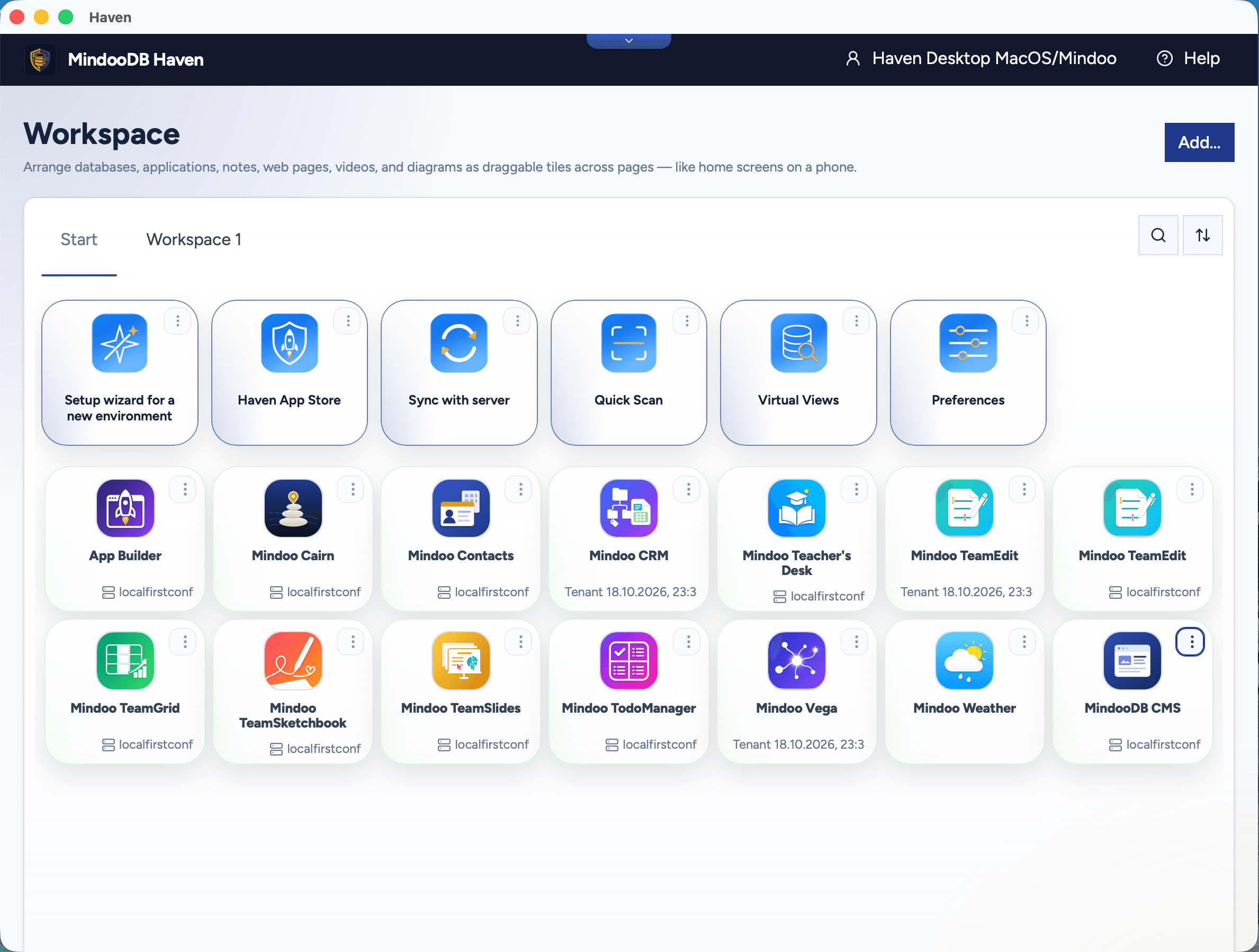
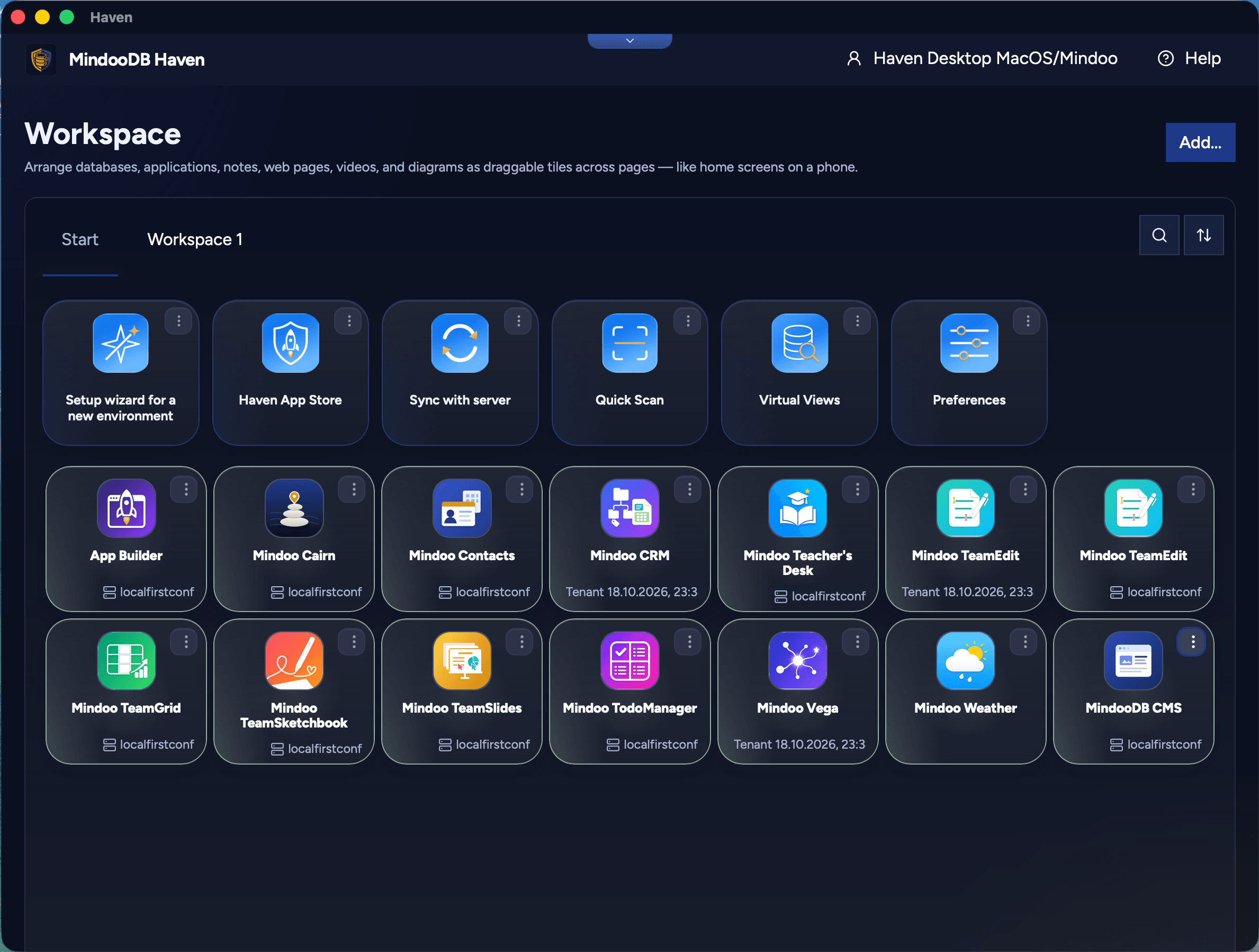
MindooDB Haven workspace in light mode: the Start tab with tiles for the setup wizard, Haven App Store, Sync with server, Quick Scan, Virtual Views and Preferences, followed by launchers for the installed apps such as App Builder, Mindoo Cairn, CRM, TeamEdit, TeamGrid, TeamSlides and MindooDB CMS
Drag, or tap Light or Dark, to compare Haven light and dark mode.
See it in action

A real workspace, ready for everyday work

Haven is not a concept mockup. It is a working product that already brings together navigation, workspace organization, search, database access, and local-first workflows in the browser.

Click the workspace screenshot to scroll through the whole page: ten Haven apps running side by side, from spreadsheets, documents and slides to a 3D map and a sketchbook.

Real workspace

Haven workspace full of running apps

Scroll inside the frame or jump directly to a region:

Long screenshot of a Haven Desktop workspace with ten apps running side by side: Teacher's Desk and a TeamGrid household budget, a TeamEdit report and a Mindoo Vega mind map, a TeamSlides presentation and a 3D Mindoo Cairn map of Karlsruhe, Mindoo Weather, TodoManager and Contacts, and a TeamSketchbook drawing at the bottom
Build on Haven

A real app platform, not just a launcher

Applications can run embedded in the Haven workspace or in their own tab, access selected databases and views, and ship as either externally hosted web apps or Haven-hosted bundles served offline by the service worker. And you do not have to write one to get one: the App Builder turns a description into a deployed, installed app.

Apps & SDK →
  • App Builder - no coding required. Describe the app your team is missing and Haven's own builder app sets up the project, publishes it to the web, has an AI agent write it, and installs it in Haven. What you get is a full MindooDB App with its own source code, free to use every platform feature - and asking for the next feature is just another brief. You bring a GitHub, Cloudflare, and Cursor account; the builder itself is open source.
  • MindooDB App SDK with launch context, live events, documents, attachments, and Virtual Views.
  • Capability-based security - Haven decides what every app can see and do.
  • Online or offline - hosted bundles run even when the network is gone.
  • Twelve apps in the store - nine first-party productivity apps you install from Haven (Mindoo Vega, for mind mapping, Kanban, Gantt scheduling and spreadsheet reporting on the same project nodes, Mindoo Cairn, a shared offline field map for tree inventories, inspections, crisis areas and scavenger hunts, Mindoo TodoManager, for team todos, Mindoo TeamEdit, a collaborative editor for markdown and Word documents that lets several people edit the same .docx on several devices at once without a Word licence, Mindoo TeamGrid, a collaborative spreadsheet with around 280 Excel-compatible formulas, charts, XLSX round-trip, and Virtual View Sheets that pull data from cross-tenant Haven views into ordinary worksheets, Mindoo TeamSlides, PowerPoint-compatible presentations your team edits together, with charts, tables, animations and .pptx import and export, Mindoo Contacts, the address book for companies and the people who work there, for yourself or shared with your team, with vCard import and export and revisions, Mindoo TeamSketchbook, a collaborative multi-page hand-drawing sketch book with paper styles and stroke-level merging, and Mindoo Teacher's Desk, a complete digital workspace for teachers), a beautiful responsive weather tile (Mindoo Weather) that adapts to the tile size and showcases the SDK's UX surface, and the open-source MindooDB App SDK example to fork as the starting point for your own app, plus the App Builder itself.
  • Or bring your own toolchain - fork the starter template, or feed /llms-full.txt and the example repo to the coding agent you already use.
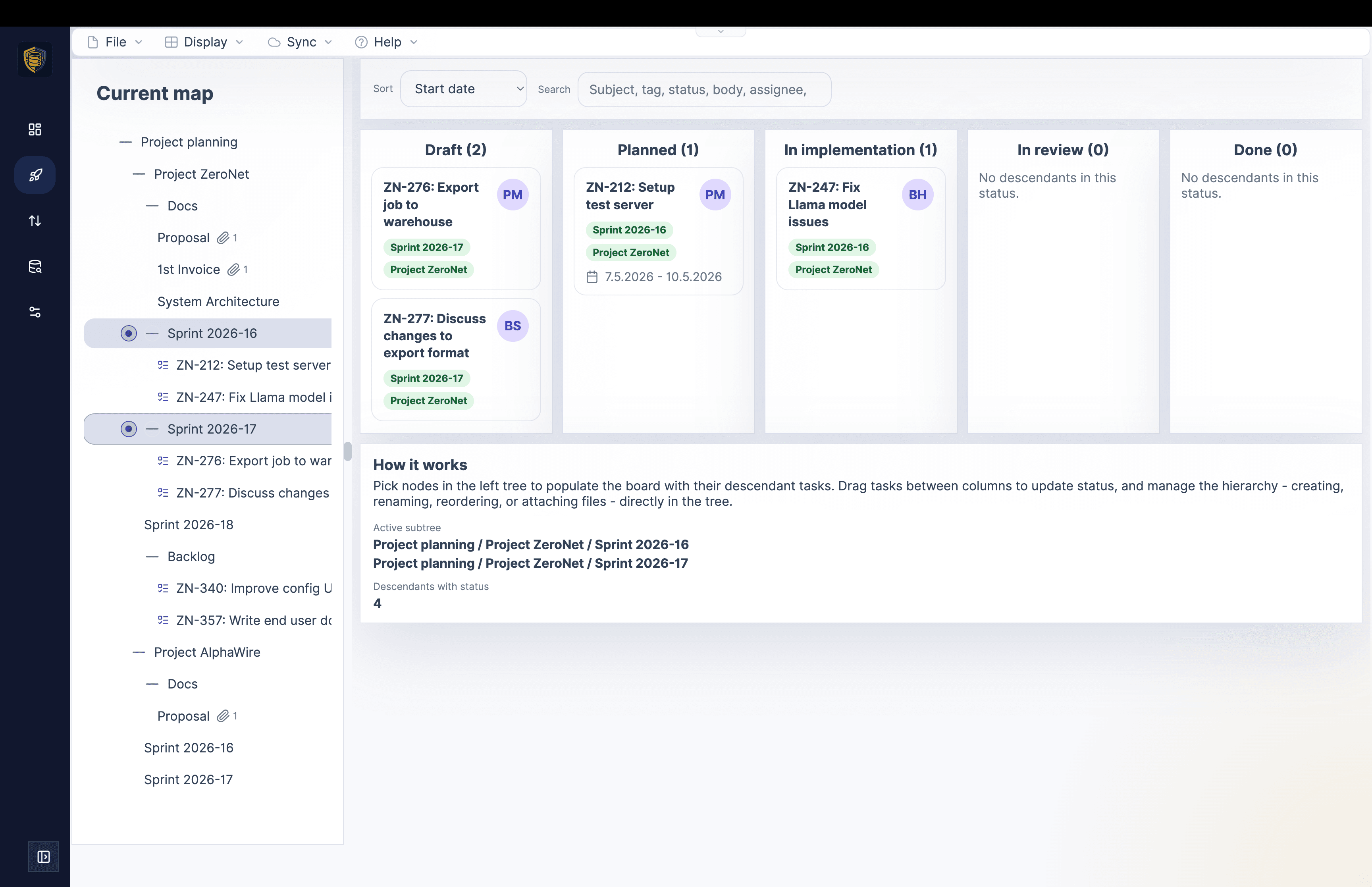
Mindoo Vega Mind map and Kanban in one embedded app
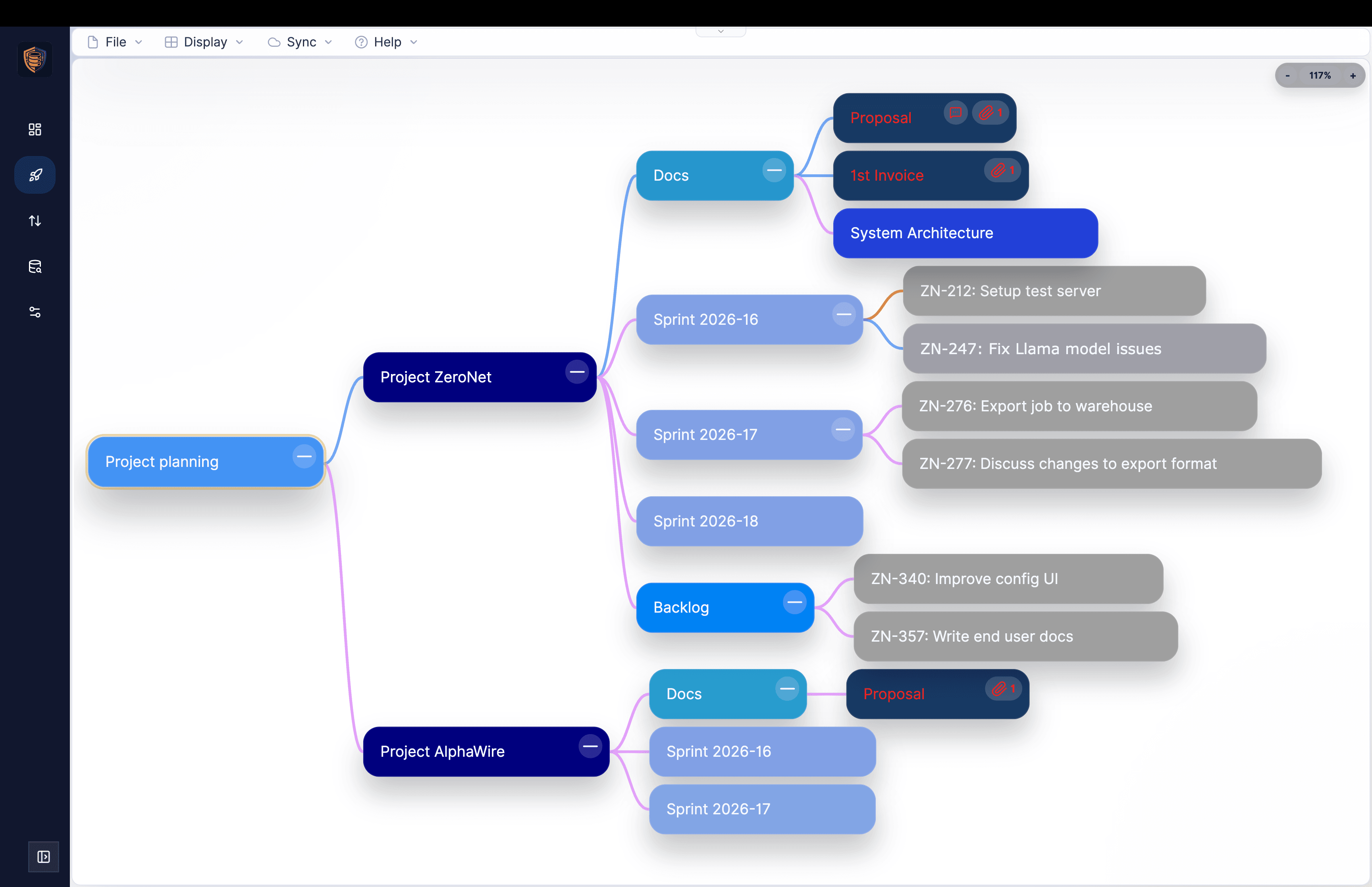
Mindoo Vega embedded in Haven showing a mind map with nested projects, sprints, documents, and tasks
Mindoo Vega embedded in Haven showing the related Kanban board view for the selected project
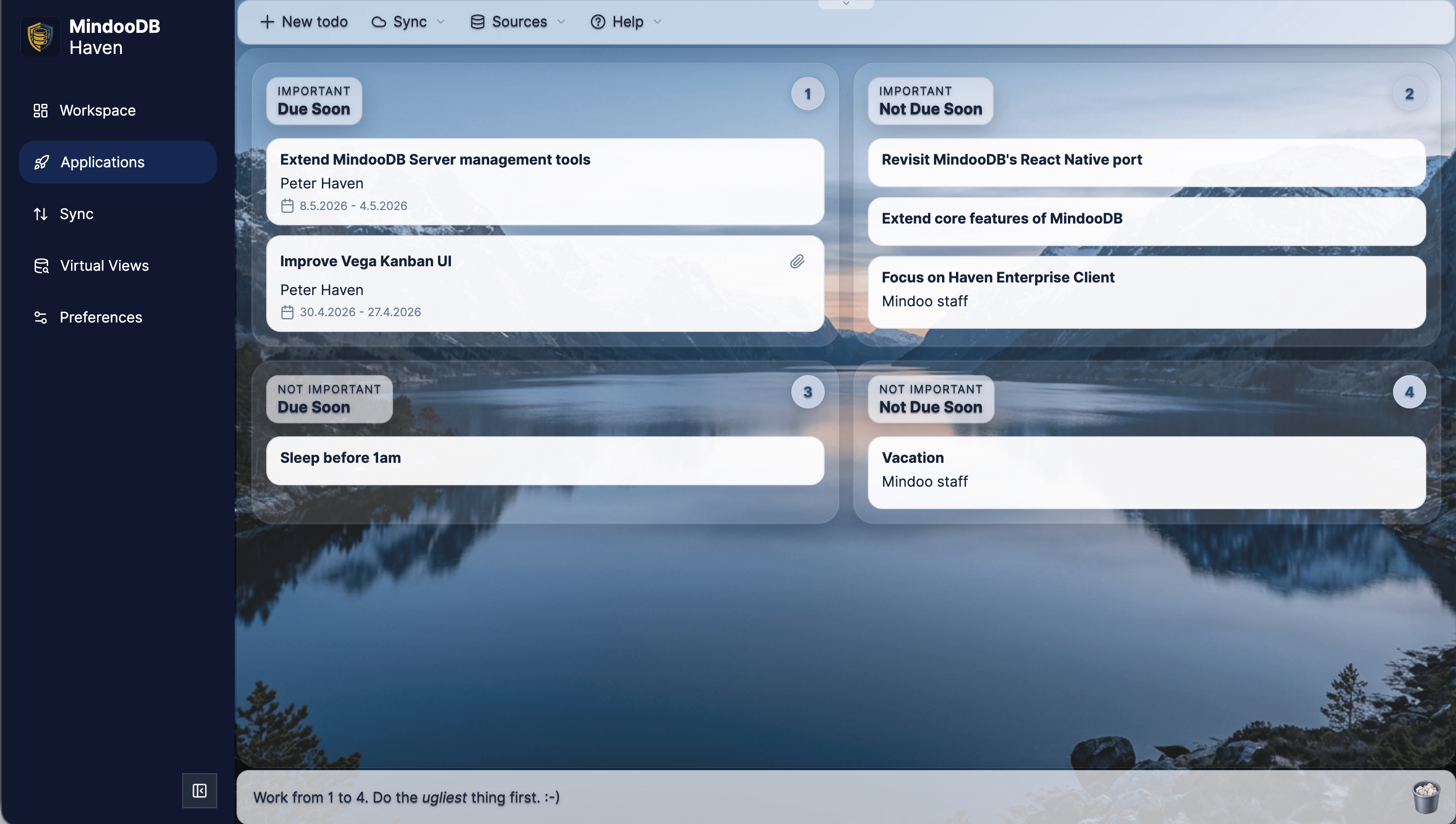
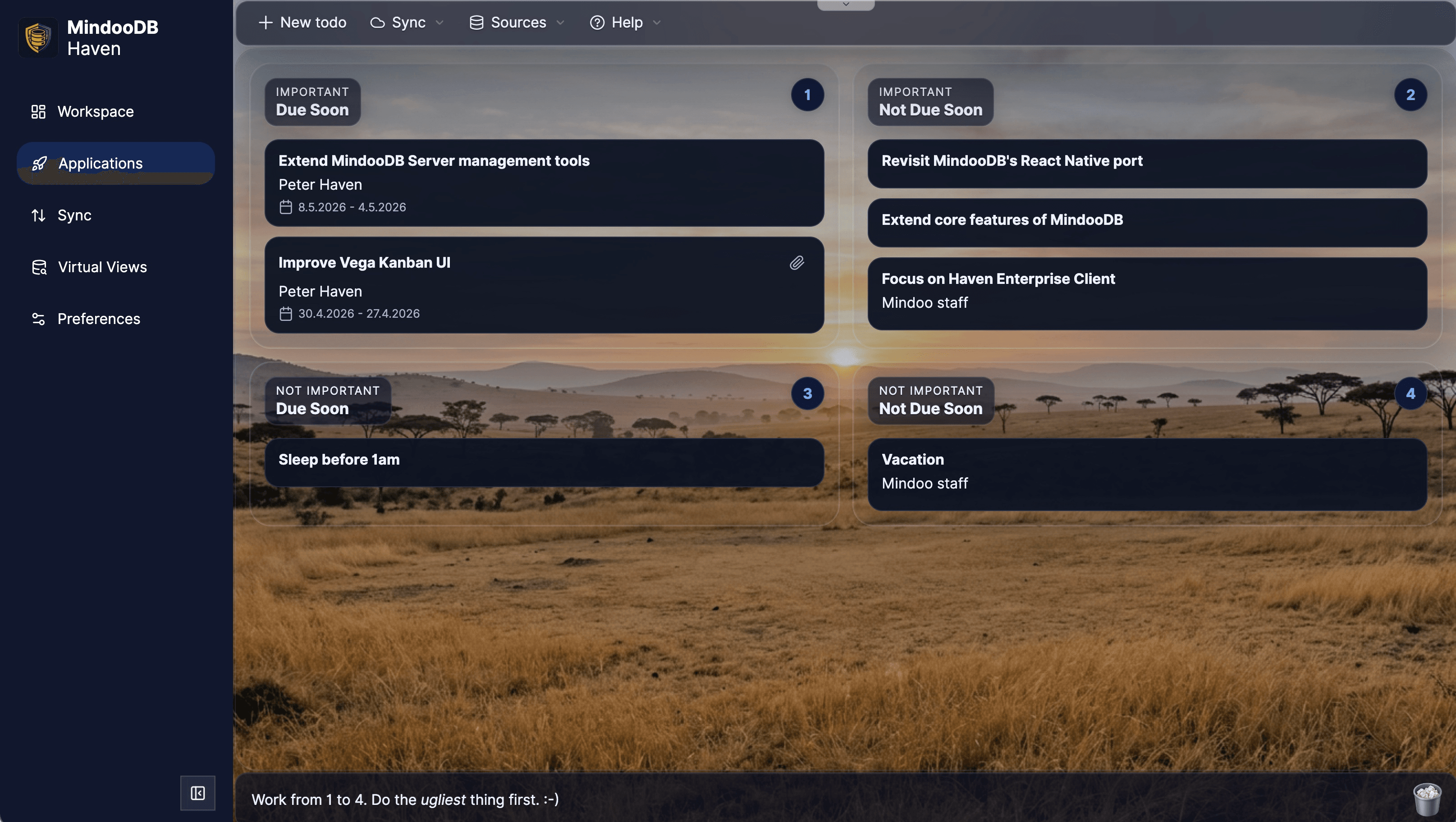
TodoManager Light and dark mode team task boards
Mindoo TodoManager embedded in Haven showing a light theme task board grouped by importance and due date
Mindoo TodoManager embedded in Haven showing the same task board in dark mode
Mindoo TeamEdit Collaborative editor for Word and Markdown documents
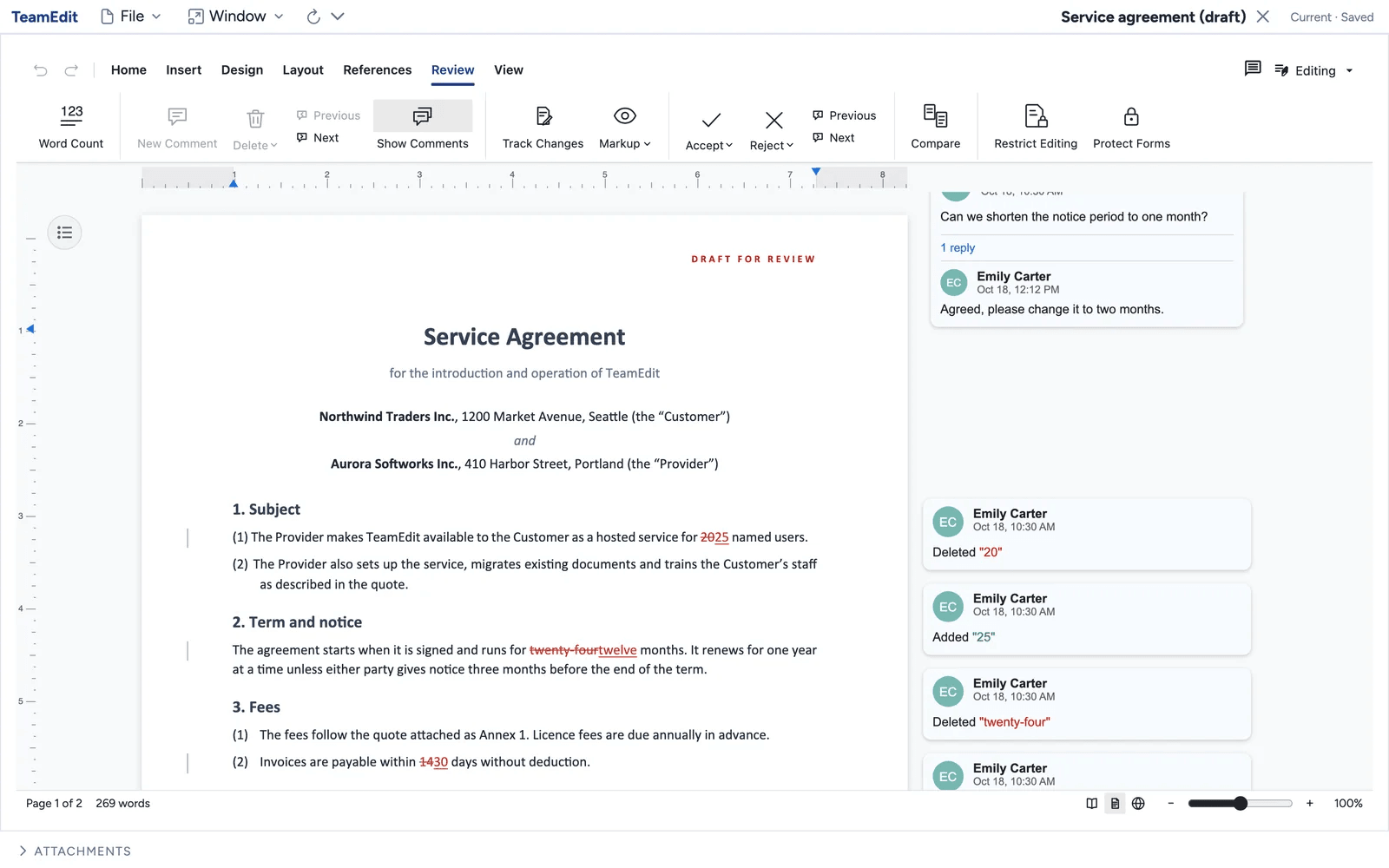
Mindoo TeamEdit with the Word document Service agreement (draft) and the Review tab open: struck-through deletions and inserted text in the clauses, and on the right a comment asking to shorten the notice period with a reply, plus change cards by Emily Carter
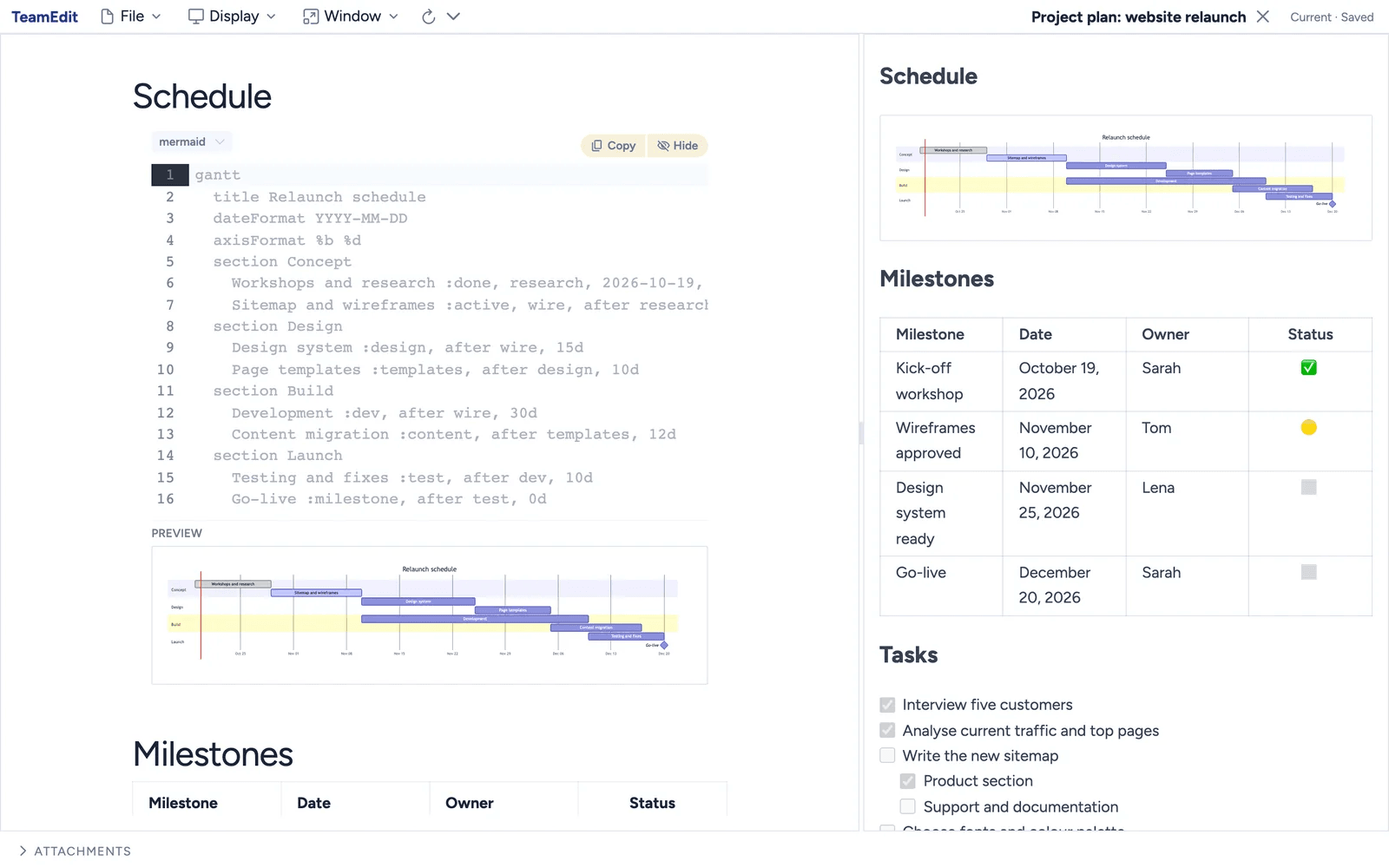
Mindoo TeamEdit with a Markdown project plan for a website relaunch: on the left the Mermaid code of a Gantt chart with its live preview, on the right the preview pane with the rendered schedule, a milestone table with owners and status, and a task list with checkboxes

MindooDB Apps

Mindoo Vega mind map for an Aurora product launch project, where each topic node shows an attached panel with assignee, status, priority, start and end date, progress, and planned versus actual effort and cost
Mindoo VegaDesktop
Every node carries its task data

A mind map where every node carries its task data: assignee, status, priority, dates, progress, effort and cost.

151
Private by design

Encrypted from the first keystroke

Haven inherits MindooDB's trust model. Data is encrypted on the client before it ever leaves the device, apps run in sandboxed iframes with granular permissions, and the DAG explorer makes collaboration auditable.

Security & Privacy →
Haven Configure application dialog showing runtime mode, hosting mode, launch parameters, and per-database capabilities (write, delete, history, attachments, views) with a tooltip describing the attachments permission
Configure application: per-database capability grid (write, delete, history, attachments, views) plus launch parameters and database mappings.
Haven Sync page listing tenant databases with direction indicators and a Sync menu open on the Docs only, no attachments option
Sync page: per-database push-only, pull-only, or bidirectional sync, with the option to transfer documents only or documents plus attachments.
  • End-to-end encryption with client-held keys and no plaintext on infrastructure.
  • Sandboxed apps on separate origins; hosted bundles get an even stricter opaque-origin sandbox.
  • DAG explorer turns Automerge merges into a navigable, auditable history.
  • Flexible sync - push-only, pull-only, or bidirectional per setup, and per database you can choose whether to transfer documents plus attachments or documents only for leaner, faster syncs.
  • Built-in backup of in-browser data, plus Virtual Views as a secure analytical layer.
Where your data lives

Local, demo, or your own server

Haven Community works in three topologies. Choose the one that matches your workflow - you can move between them without changing clients.

Deployment options →
Local only
Fully in your browser

Create tenants and databases entirely offline. No server, no sync - ideal for personal use, drafts, and offline demos.

Mindoo demo server
Try team features

Push a local tenant to the hosted demo server and invite real collaborators. Each tenant can sync with it for 14 days, and demo data is wiped periodically - it is for evaluation, not production.

Self-hosted
Your own server

Point Haven at a MindooDB server you run. See README-server.md for setup.

Latest from the blog

MindooDB and Haven updates

Product updates and implementation notes from the MindooDB ecosystem.

Read all posts →

October 29, 2026

Haven Desktop for macOS and Windows is ready to download

Haven, our end-to-end encrypted, local-first workspace, is now available as a native desktop app: notarized for macOS, signed for Windows on x64 and ARM64. It is built on Tauri 2, stores your data in a local SQLite database, connects local AI agents through MCP without an open network port, and keeps itself up to date. The apps for iOS and Android are in testing, and you can join.

October 27, 2026

What we learned making 12 apps usable by AI agents with WebMCP

We gave twelve apps of our end-to-end encrypted, local-first workspace Haven their own tools for AI agents through WebMCP, and connected them to MCP clients such as goose and Claude Code. This post covers how WebMCP differs from MCP, how we reveal tools step by step instead of showing hundreds at once, the design rules that made tools usable for models, what went wrong on the way, why undo and an append-only history are the precondition for letting an agent near real data, and how to keep that data in Europe or on your own machine.

October 18, 2026

The story behind MindooDB Haven

From a student knowledge base on IBM Notes/Domino in 2001, through MindPlan, nine years in the IBM Design Partner Program, Domino JNA and the Domino JNX API underneath the HCL Domino REST API, to a fresh start: MindooDB, an open source database in which not even the server can read your data, and Haven, the collaboration client that brings apps together on one surface - and why we drink our own champagne.